Data Architecture
Overview
Incentify is a robust enterprise application that allows companies to manage their complex credits and incentive portfolios. This document provides a brief overview of the data architecture of the Incentify Product.
Account and Project Portfolio Architecture
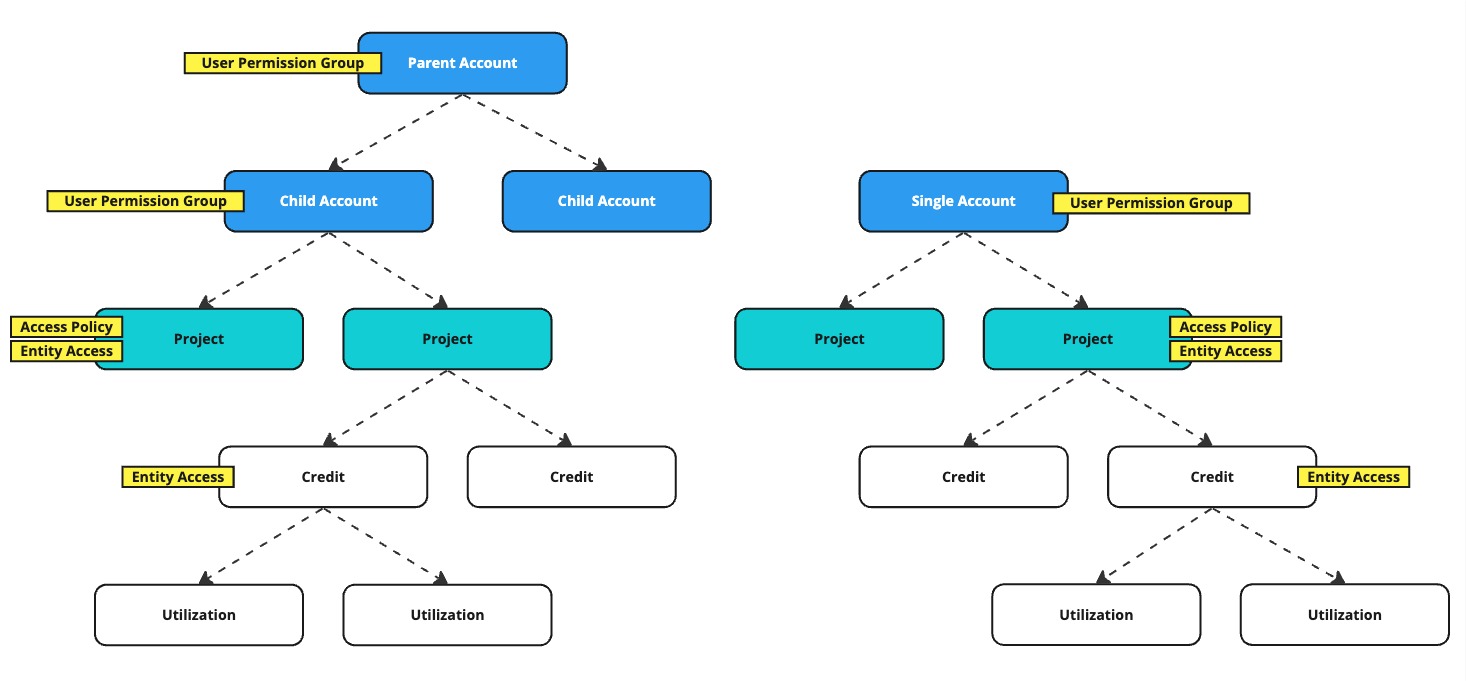
Accounts can be in a (1) Single Account architecture or a (2) Parent Child architecture. In a Parent/Child architecture, users who have access at the Parent level have access to all data in all Child Accounts and users with access to one (or more) Child Accounts only have access to the data of those Child Accounts.
Projects can be created within a Single Account and Child Accounts. Parent Accounts can NOT contain Projects, however, as mentiond above, all Projects within all Child Accounts are accessible by users of the Parent Account.
Projects contain Credits and Credits contain Utilizations.
Within this multi-tiered data architecture, Incentify provides several layers of User Access Control, as depicted by User Permission Group, Access Policy and Entity Access in the diagram above. Please learn more about these concepts via the User Access page.
API Resources to explore:
- Child Account Create/Update
- User Create/Update
- Project Create/Update
- Credit Create/Update
- Utilization Create/Update
Credit and Utilization Architecture
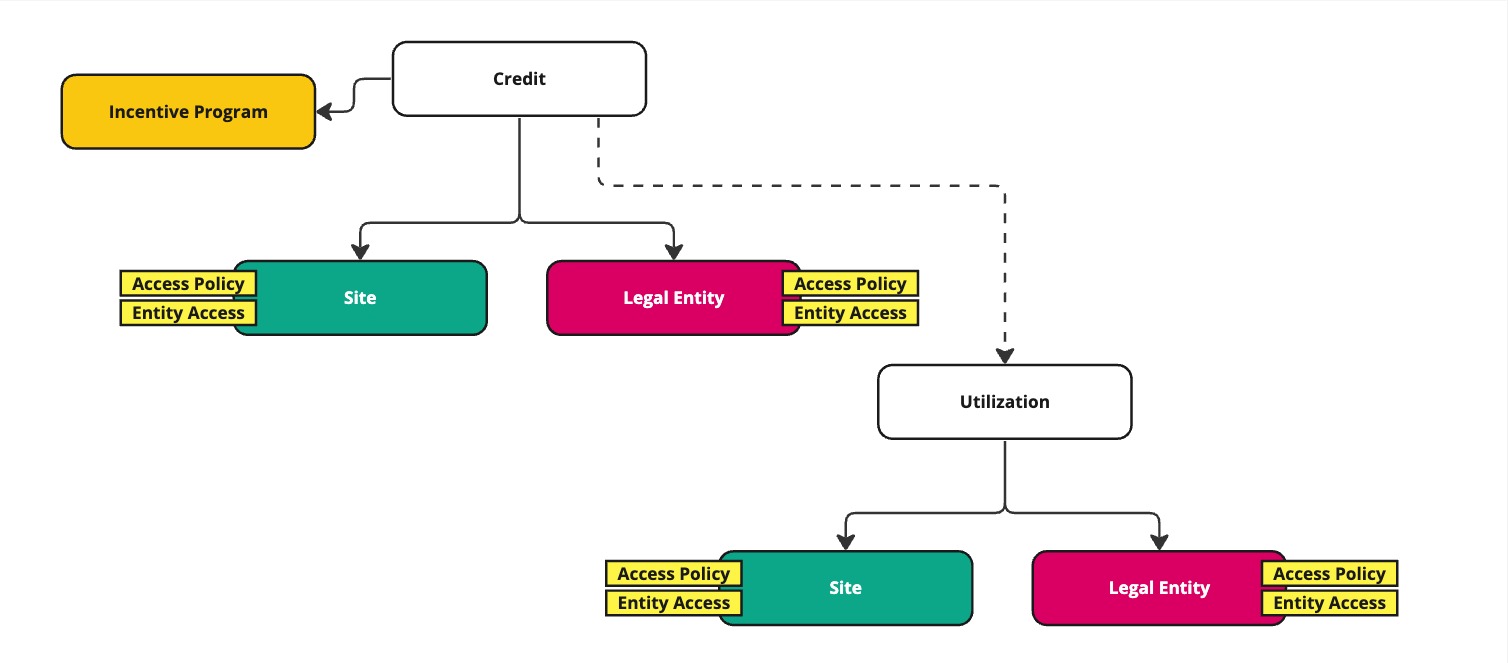
Credits and Utilizations are the two most important and dynamic objects in Incentify. As you explore their API Resources, you'll understand the Objects that are attached to them, as depicted in this diagram. Access to Credits and Utilizations is covered in the section above and at the bottom of this page: User Access.
The three Objects that can be attached to Credits are:
- Incentive Program (required)
- Site (optional)
- Legal Entity (optional)
The two Objects that can be attached to Utilizations are:
- Site (optional)
- Legal Entity (optional)
API Resources to explore:
Compliance Milestones / Tasks Architecture
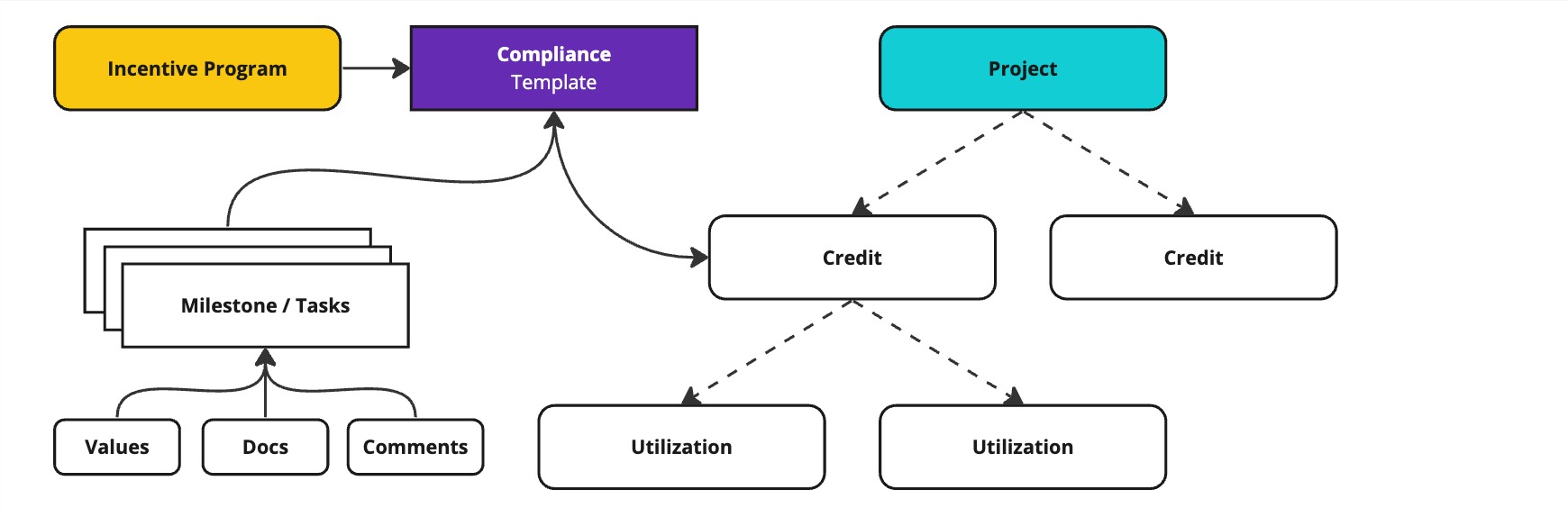
Compliance Milestones / Tasks live at the Credit level - and architectually they are attached to a Compliance Template that is attached to the Credit, as depicted in the diagram above.
These Compliance Milestones/Tasks can be assigned to Internal or External Users. The tasks include:
- Values: Expected Date, Expected Threshold (number, boolean, currency)
- Assignment: User (Internal or External User)
- Comments: User comments (text)
- Documents: User uploaded documents in various formats
API Resources to explore:
- COMING SOON - TO BE DISCUSSED